Download Dynamik Agri
One Windows program for the farm's paperwork, kept on your own computer.
Free to download
The program is free and stays free: what a farm pays for is the part it needs, chosen inside the program, and only after a year of using it. The download needs a free UKPAI account, the same one as the tools on this site; the file is on your account page. Open it on the Windows PC where you will keep your records - it installs for you alone and never asks for an administrator.
From First Start to the Annual Summary
What you will see, in the order you will see it.
-
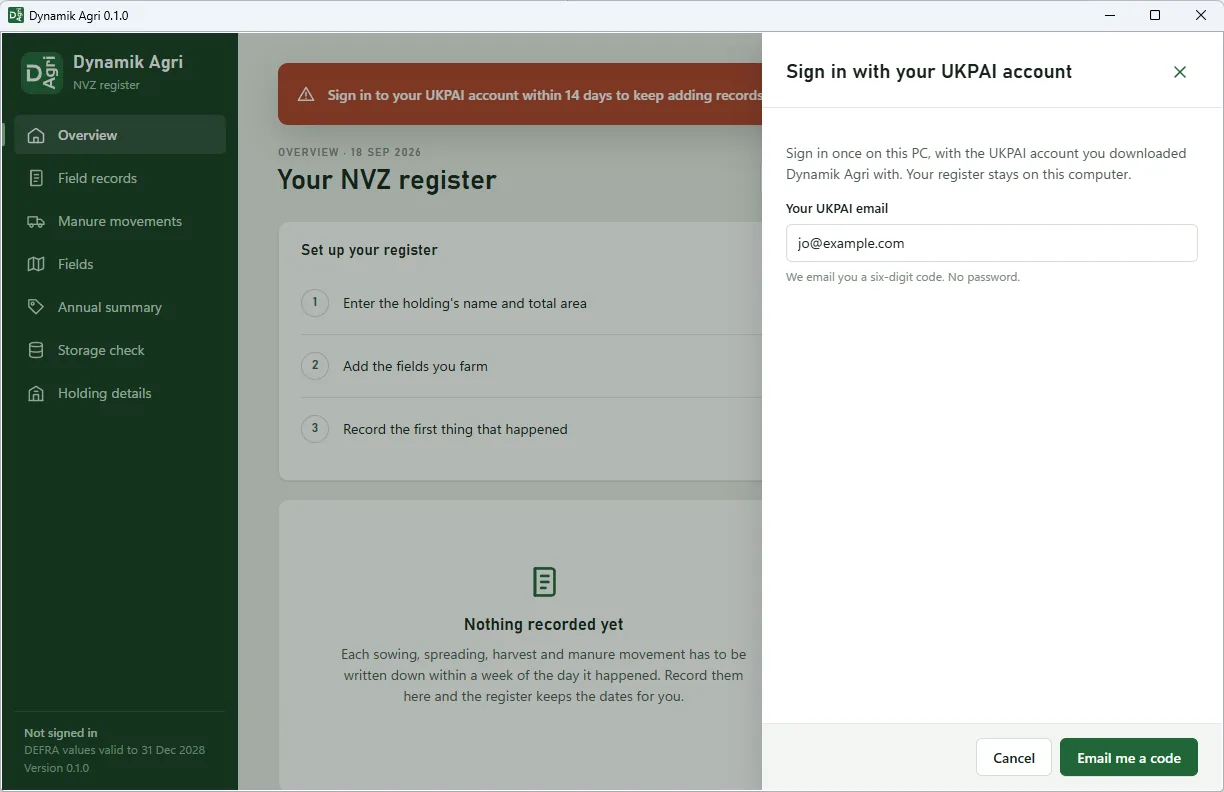
Open the program and type your email
The first time it starts, Dynamik Agri asks for the email of your UKPAI account, the one the download link came to. It only asks once on each PC. That is what the program reads its list of parts from: what your farm has taken, and what it can add.
-
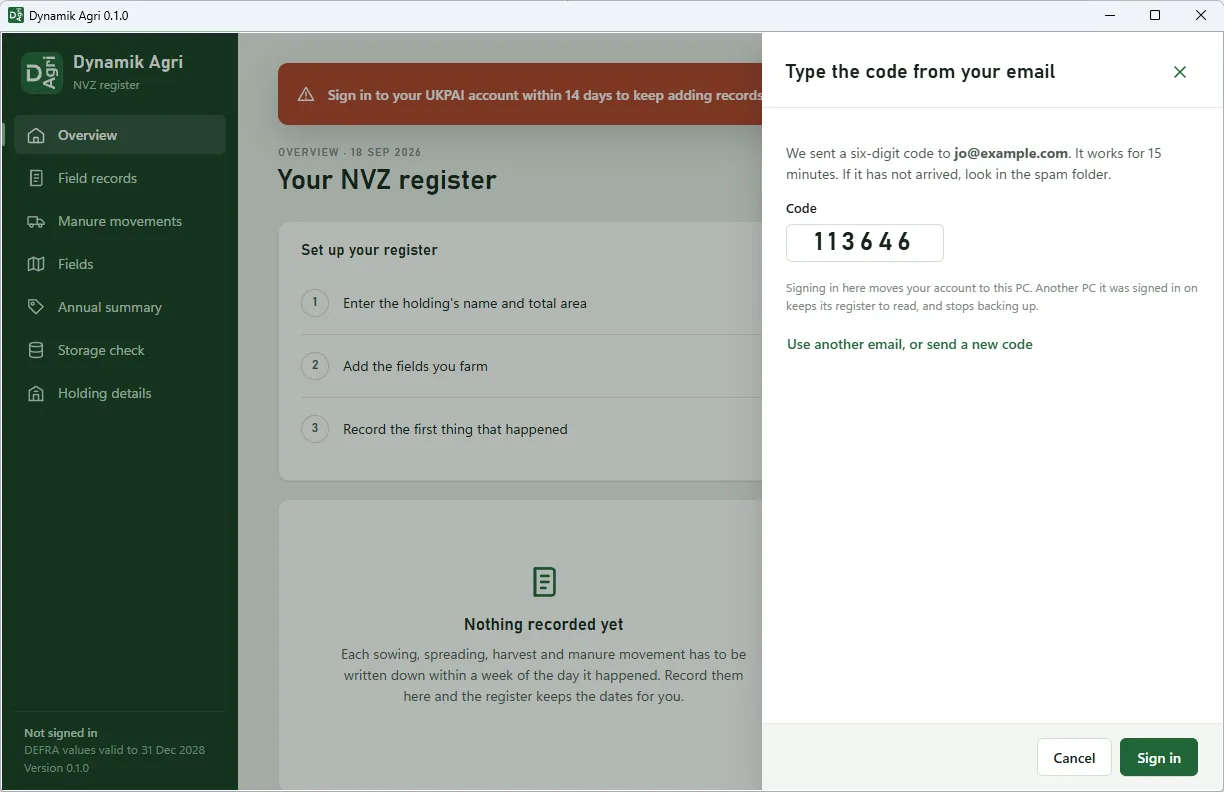
Type the code from your email
We email you six digits; they work for 15 minutes. That is the whole sign-in: no password. If you sign in on another PC later, your account moves there, and this one keeps its register to read.
-
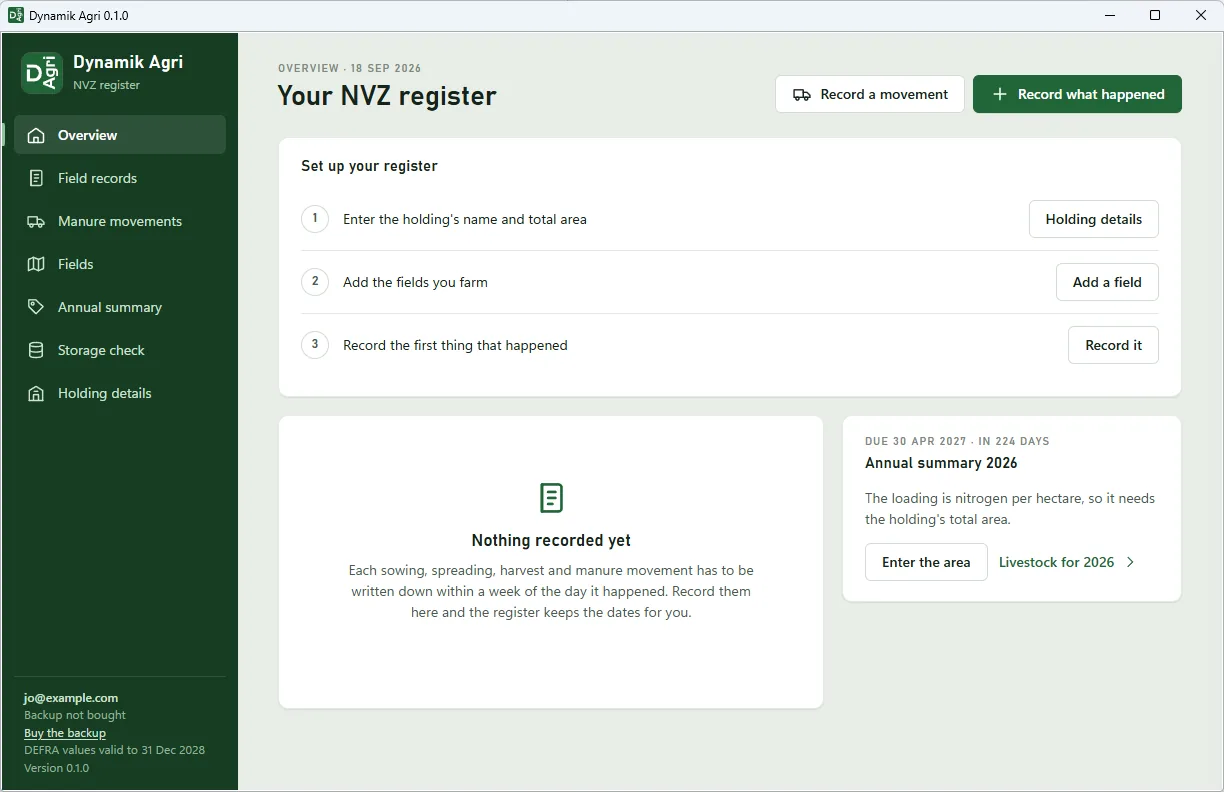
Set up your register
Three steps on the first screen: the holding's name and total area, the fields you farm, and the first thing that happened. The register is one file, kept in the program's own folder on your PC, and it can be copied onto a stick like any other file.
-
The backup, and a new PC
The backup is bought separately, by the year, at £49.99 plus VAT. With it, you choose a passphrase and write down a recovery code, and when you press Back up now a copy of the register goes up, encrypted on your PC. On a new PC you sign in with the same email, type the passphrase or the recovery code, and the register comes back.
Your File, On Your Computer
It lives on your PC
The whole register is kept on your own computer, and the program works without an internet connection: everything is worked out on your own machine.
You sign in once on each PC with your UKPAI account: your email, then a six-digit code we send to it. There is no password to remember.
The backup is yours to buy, or not
Nothing leaves your computer unless you buy the backup. With it, when you press Back up now, a copy of the whole register goes up, encrypted on your PC before it leaves, with a key made from a passphrase only you know. We keep it, but we cannot open it.
If a PC dies, you sign in on the new one, type your passphrase, and the register comes back. The backup costs £49.99 a year plus VAT.
What You Need
- A Windows 10 or Windows 11 PC. The program draws its window with Microsoft's WebView2, which Windows 11 includes and which Microsoft says the vast majority of Windows 10 PCs already have. If yours does not, the program installs it itself the first time it starts, and only if that fails does it show where to get it.
- A free UKPAI account, the same one you use for the tools on this site. The download link goes to its email address.
Made by Dynamik App, Distributed by UKPAI
Dynamik Agri is made by Dynamik App Ltd and distributed by UKPAI. The free tools on this site stay free, and so does the program itself. What is paid for is a part you add to it - the NVZ register is £49.99 a year plus VAT, and its first year is free from the day you take it. The prices are set low on purpose, so any farm can afford to keep its paperwork properly.
Frequently Asked Questions
Does Dynamik Agri send my records anywhere?
No. The register stays on your computer. A copy only leaves it if you buy the backup, and then it is encrypted on your PC first, with a key made from a passphrase only you know, so neither UKPAI nor Dynamik App Ltd can read it.
Does it work without an internet connection?
Yes. Everything is worked out on your own machine.
Where This Comes From
- Microsoft — Distribute your app and the WebView2 Runtime (included in Windows 11; already on the vast majority of Windows 10 devices).